Why I Choose Hard Drives Over SSDs for Storage
While SSDs dominate consumer computing, hard drives remain superior for long-term storage, NAS systems, and cost-effective capacity expansion in specific use cases.
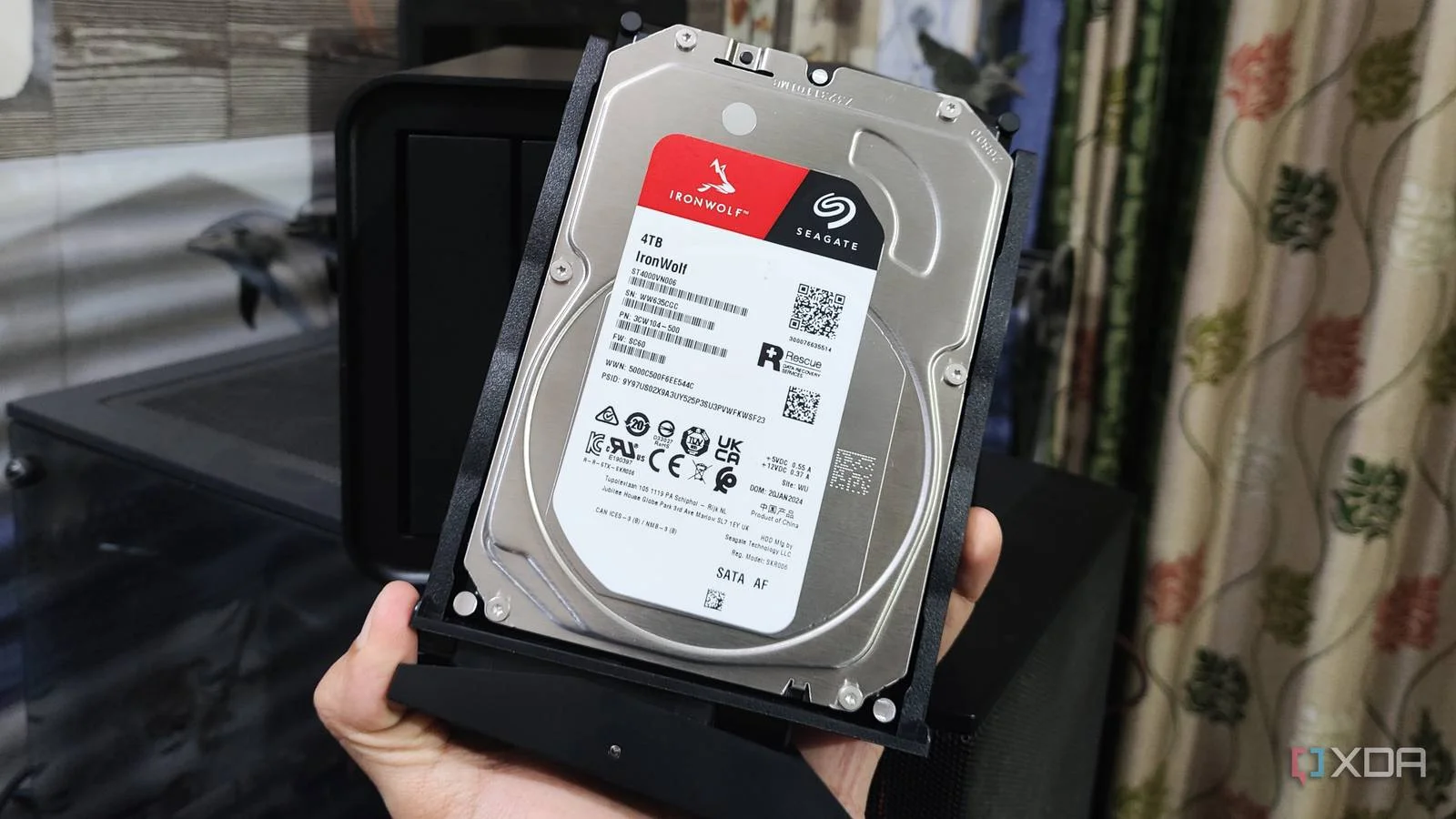
Most technology enthusiasts readily acknowledge that replacing an old hard drive with an SSD is one of the most significant performance improvements possible. This is largely true, especially when an SSD serves as the primary storage drive in a computer. However, certain storage situations still favor traditional hard drives, and SSDs have not yet fully addressed all storage needs. For many users planning storage upgrades, hard drives remain the preferred choice, particularly for large-scale data management.
The shift in storage preferences reflects changing technology costs and availability. In the past, removable media like CDs and DVDs served storage purposes, but as data creation expanded exponentially, these formats became obsolete. Today, while SSDs are reserved for new PC builds and device upgrades like the ROG Ally X, the real demand remains for larger capacity hard drives to expand storage pools and meet growing data needs.
Feeding the NAS and Long-term Storage Needs
The primary driver for purchasing hard drives is expanding capacity for extended storage periods. Photos, business receipts, media files, and installers need permanent homes without constant re-downloading. This journey has progressed through external drives and increasingly larger NAS units—from single-drive Western Digital MyBooks to current six-bay Synology systems. Each upgrade involves installing the largest available 3.5-inch hard drives, filling them with data, then planning the next expansion when capacity reaches predetermined thresholds. Much of this stored data predates affordable SSDs or even their wide consumer availability.
Performance Limitations Don't Matter for Archive Storage
While SSDs have become increasingly affordable, the use case for archived data differs fundamentally from active computing. Hard drive performance in RAID configurations suffices for streaming media through Jellyfin, backing up photos to reduce cloud subscription costs, or storing occasional-access backups. Many NAS systems incorporate SSD caches to accelerate virtual machines and services, effectively negating the primary drawback of traditional hard drive storage. For data accessed irregularly, speed advantages of SSDs become irrelevant.
Capacity Requirements Exceed Current SSD Offerings
Today's large-scale storage demands require drives of 20TB or more. Current NAS configurations use four 14TB Seagate IronWolf Pros and two 20TB Seagate Exos drives. Expansion requires 20TB drives or larger due to RAID implementation specifics in Synology systems. The largest consumer SATA or M.2 SSDs max out at 8TB—the only interfaces supported by many current NAS platforms. While custom-built systems using U.2 SSDs might accommodate up to 120TB capacity, these options remain prohibitively expensive with shorter replacement cycles than hard drives, creating ongoing financial burdens.
Cold Storage and Data Preservation
Digital storage intended for long-term disconnection or airgapped security requires appropriate medium selection. While CDs and DVDs previously served this purpose, their limited lifespan and capacity proved inadequate for modern data volumes. Hard drives offer superior long-term cold storage solutions. External drives can be filled, disconnected, and relocated safely. While periodic integrity checks remain necessary and multiple drives recommend rotation, this approach proves superior to external SSDs, which cannot reliably retain data during extended power disconnection.
Off-site Backup Implementation
Implementing the 3-2-1 backup rule—maintaining multiple copies in different locations—becomes financially impractical with SSDs. Following this principle with 60TB of NAS storage requires duplicating that entire capacity in a separate location. Building identical NAS systems with hard drives proves feasible; achieving equivalent capacity with consumer SSDs would be impossible or require expensive server infrastructure with unnecessary complexity for personal use cases.
Cost Advantages Remain Significant
While price represents an important consideration, it typically ranks third in decision-making criteria after capacity and longevity. At large storage scales, these variables narrow available options considerably. The limited number of hard drive manufacturers, especially at required capacities, restricts choices further. Price monitoring and watchlist tracking before purchasing can identify deals, and sometimes purchasing larger capacity drives offers better per-gigabyte value despite exceeding immediate needs. At this data storage level, hard drives consistently provide the most cost-effective solution for standard use cases.
Future Storage Plans
Current upgrade planning already incorporates newer hard drives offering 50 percent more capacity than existing largest drives. Eventually, physical 3.5-inch drive size constraints may dictate transitions to larger NAS units supporting more drives or rackmount servers. Even when reaching current system physical limits, hard drive purchasing will continue—simply expanding the stockpile. For anyone managing substantial personal or professional data archives, hard drives remain the practical, economical, and reliable storage solution for the foreseeable future.