5 Reasons to Ditch Your ISP's Router for Better Performance
ISP-provided routers may be convenient, but they often feature outdated hardware, limited control, poor coverage, weak security, and hidden rental costs that make purchasing your own router a smarter choice.
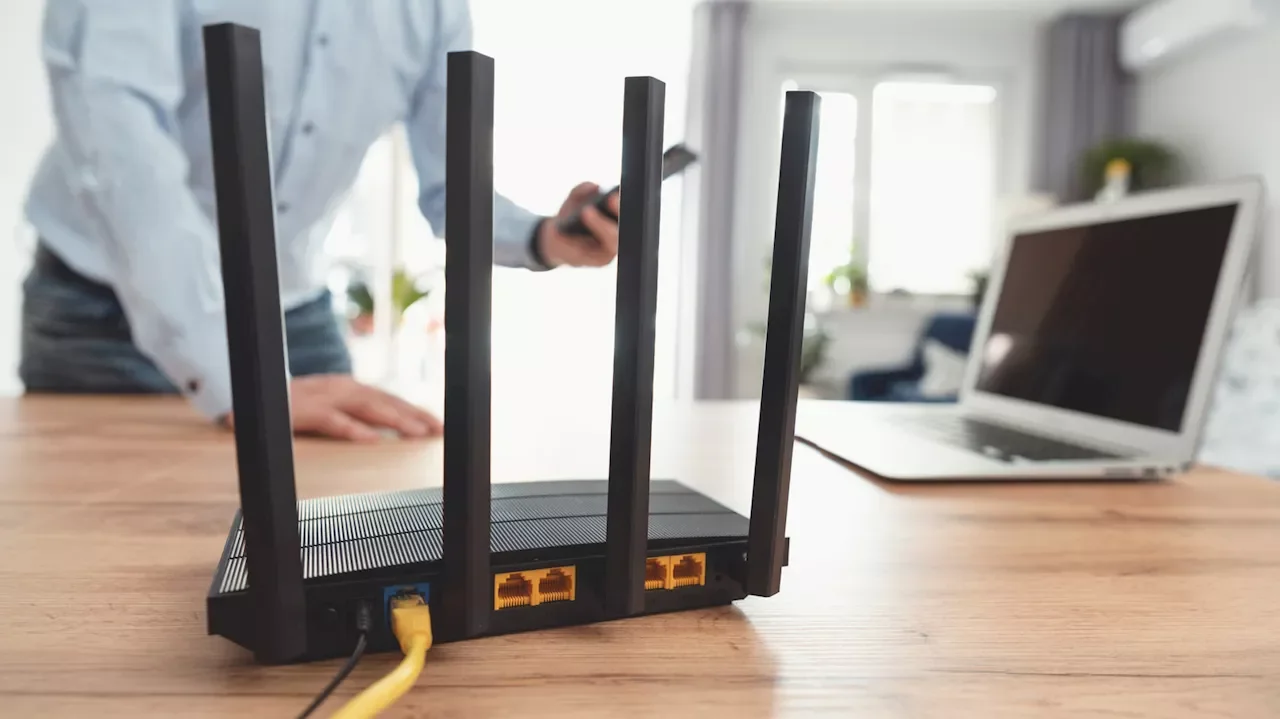
When you sign up for a new internet connection, your Internet Service Provider typically bundles a router as part of the package. While this convenience allows immediate internet access without configuration hassles, it's not always the best choice for your household. ISP routers often come with outdated hardware, limited control options, poor performance, weak security measures, and mounting costs that make them a poor long-term investment compared to purchasing your own aftermarket router.
Outdated Hardware and Wi-Fi Standards
ISPs typically manufacture or source routers in massive quantities, prioritizing cost-effectiveness and convenience over performance. Many ISP-provided routers feature outdated technology, often supporting only Wi-Fi 5 standards introduced in 2014. In contrast, modern routers now support Wi-Fi 6 (introduced in 2019) and Wi-Fi 7 (introduced in 2024), which offer significantly better network capabilities, enhanced security measures, and improved reliability. Newer routers with these advanced standards come equipped with more memory and processing power, delivering a superior user experience when multiple devices are connected simultaneously. Furthermore, ISPs sometimes recycle old units, meaning your new connection may receive a refurbished router rather than a fresh device. This outdated hardware can create a bottleneck in your network performance when you need a fast, stable internet connection.
Limited Control and Privacy Concerns
ISP routers severely restrict the network settings and features you can control, many of which are essential for safer, privacy-oriented browsing. Users typically cannot switch DNS servers, set up port forwarding, or access other critical configuration options. When ISPs maintain control over these system settings, there is potential for content censoring, website access restrictions, and network activity tracking. Additionally, many ISPs retain remote access to their routers for troubleshooting and firmware updates, but this practice raises significant security concerns. If threat actors compromise the ISP's system, they could gain unauthorized access to your router. Purchasing your own router eliminates these risks and provides unfettered access to advanced network settings, allowing you to configure VPNs, change DNS servers, and customize settings for gaming or specific networking needs.
Poor Wi-Fi Coverage and Signal Strength
ISP routers often feature less advanced antennas, resulting in weak Wi-Fi strength, particularly in multi-story homes or apartments with thick walls. Even when placed centrally, standard ISP units cannot deliver the same coverage as high-end aftermarket routers. This becomes problematic in modern homes where devices require stable internet access throughout the house. Poor signal strength leads to degraded performance and frequent disconnections, especially in areas with dead zones or weak signals. Mesh systems or Wi-Fi extenders can solve coverage issues in larger homes, while smaller residences typically benefit from upgrading to a quality aftermarket router.
Inadequate Security and Delayed Updates
Security remains critical for home networks, yet ISP routers often receive insufficient attention from manufacturers. Since these routers are outsourced from third-party manufacturers, they typically receive lower priority for security updates compared to branded models. When vulnerabilities are discovered, ISP routers often receive patches much later than other devices, leaving your network exposed to threats for extended periods. Users who don't regularly check for firmware updates risk weakened network security. Aftermarket routers typically offer automatic updates that install new firmware without user intervention, providing more robust protection against emerging threats.
Hidden Rental Costs Add Up Quickly
Many ISPs charge monthly router rental fees that significantly impact your annual expenses. Spectrum charges $10 monthly, CenturyLink charges $15, and Xfinity charges between $15 and $20 per month. Over 12 months, a $20 rental fee totals $240. A decent quality router typically costs only around $100, and modern routers generally have a lifespan of three to five years. By purchasing your own router, you could save hundreds of dollars while gaining superior performance and features. Additionally, some ISPs charge repair and replacement fees if the unit becomes damaged, making the total cost of ownership even higher.
Ultimately, investing in your own quality aftermarket router provides better performance, enhanced security, improved coverage, greater control, and significant long-term savings compared to relying on your ISP's bundled equipment.